
Appearance
Content Types
This page demonstrates general available content types and what they do.
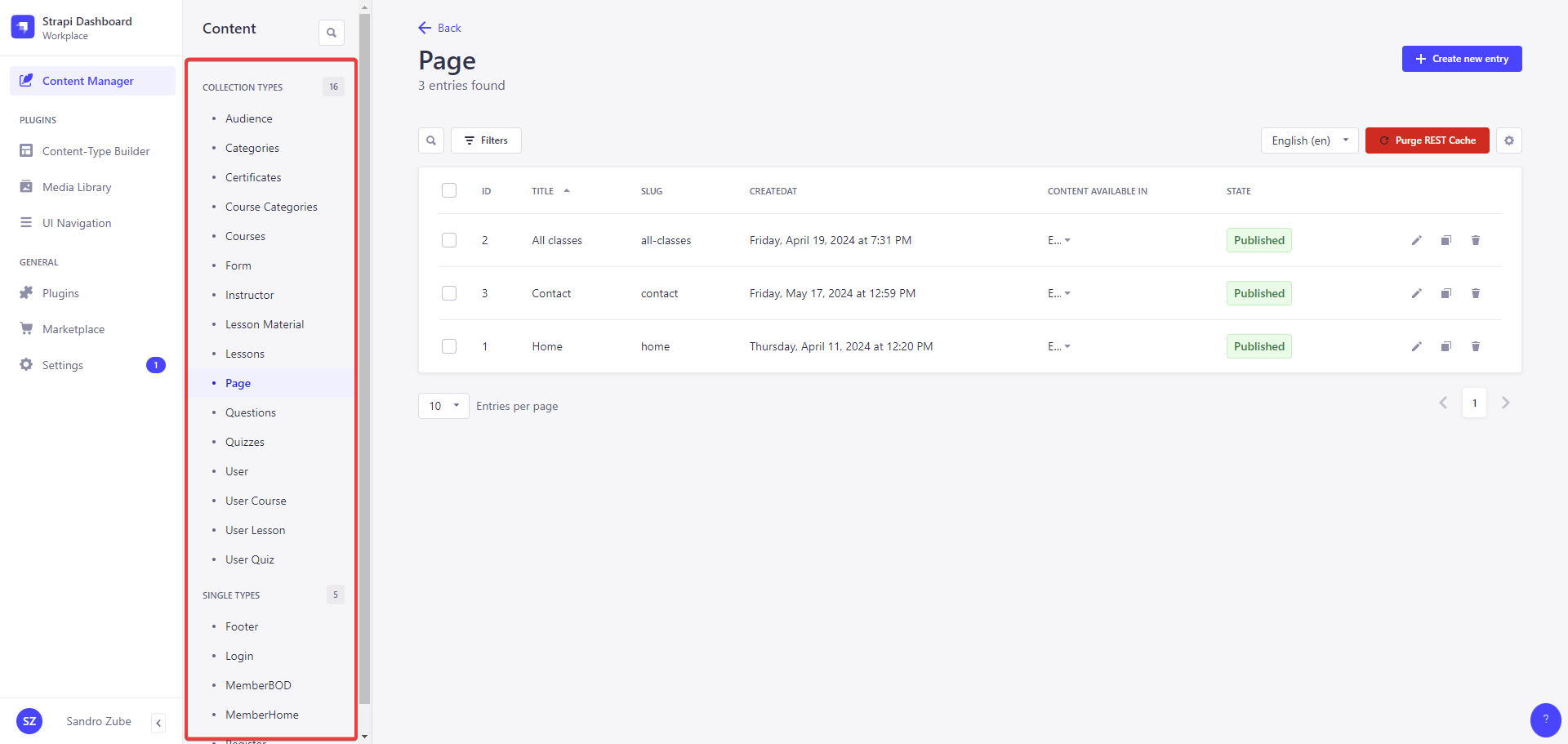
The Content Manager is accessible from Content icon Content Manager in the main navigation, which opens a sub navigation displaying 2 categories: Collection types and Single types. Each category contains the available collection and single content-types which were created beforehand using the Content-type Builder.
TIP
Click the search icon in the sub navigation to use a text search and find one of your content-types more quickly!
Forms
You can manage all of the forms, set the layout and other information. These can then be assigned via the Form component in the Pages content type to be displayed on any website page.
It is possible to either build very simple forms with just a few fields and one recipients or complex ones with categories and subcategories.
For complex forms with categories, you even have the option to set multiple recipients, recipients via CC and auto responders. Let's go over a complex case.
Form Recipients
As a first step you should create form recipients to use for specific categories later on. If you create a recipient with a name and email, it will be considered as a normal recipient in the sense that the recipient will receive the form data from the initial user form submission (depending on the selected form category).
If you just add a name and a Template ID, you basically create an Auto Responder. If there is no email set specifically, the global one is used.
WARNING
Keep in mind, that if you set an email for an auto responder, this specific email needs to be configured as a verified sender on the SendGrid side.
To get a Template ID you need to log into the SendGrid account, go to Email API -> Dynamic Templates. There you can create a new Template and afterwards a Template ID is shown. The design of the template can be whatever you desire.
Form Categories
Here you can categories and subcategories. A category can have subcategories as well, which in itself are just categories you previously created. This can be configured to up to 2 levels and will be displayed on the form if assigned to the form. If the checkbox Has categories? is unchecked, you are not at the end of this category tree and here you can assign Recipientsand Recipients (CC). Depending on what configured for these recipients, the user will either receive one or more Auto Responders or nothing will happen for the user and the contact form submission will be redirected to the Recipients/ Recipients (CC).
TIP
To use data from the initial user submission you can use it like this for example: {{ text }}. You can read more about this here.
Variables
Every user form submission has, besides the initial submitted user information, also has additional variables by default:
json
{
  "siteDomain": "calpg.org",
  "siteName": "CalPG.online",
  "cmsUrl": "https://cms.calpg.online",
  "recipients": [
    { "email": "[email protected]", "name": "Test user 1" },
    { "email": "[email protected]", "name": "Test user 2" }
  ],
  "recipientsCC": [
    { "email": "[email protected]", "name": "Test user 1" },
    { "email": "[email protected]", "name": "Test user 2" }
  ],
  "autoResponderSent": false
}
Pages
This content types is your general layout for a specific website page. You can add blocks, change their order and behavior. There currently are over 15 blocks/components available.
Users
INFO
Keep in mind, that Users and Admin users are separate for security reasons. Admin users have access to the CMS, Users do not. This content type is about Users, that can only use the website itself.
It is possible to change the user's password, block or confirm their email. Besides that, all user related data is changeable here, including the address or licenses.